 support@driversoftpro.com

Check the system requirements before installing. Some features may require a paid subscription.

Want to check whether your PC’s drivers need attention? DriverSoftPro helps you scan your system, identify outdated or missing drivers, and review the results from one place. Download the software and follow the on-screen instructions to get started.
Check the system requirements before installing. Some features may require a paid subscription.
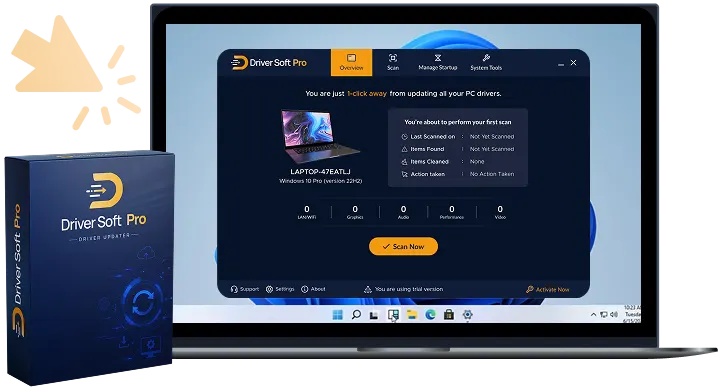
Drivers are software that allows your Windows computer to communicate with hardware such as printers, graphics cards and network adapters. A useful first step is to check the driver status of a device that isn’t working as expected.
DriverSoftPro integrates driver scanning and available update information into one application to help you understand what the software finds before making a decision on what to do next.
Run a scan to check for outdated or missing drivers detected by DriverSoftPro. The results give you a starting point for deciding whether further action is needed.
See the driver information presented by the software and review the available options before proceeding. You can make the right decision rather than rushing through the process.
Instead of checking every device individually at the outset, use DriverSoftPro to review the scan results in one application.
Once you’ve reviewed the results, follow the options available in your version of DriverSoftPro. Access to certain downloading and installation features may require a paid subscription.
Compatible with Windows 11, 10, 8.1, 8 and 7


Select the download button to obtain the DriverSoftPro installer from the official website.

Open the downloaded installer and follow the instructions displayed on your screen. Make sure your PC meets the applicable system requirements.

Launch the application and run a scan. Review the results and available options before deciding whether to proceed with any updates.
Start with a scan of your Windows PC. DriverSoftPro helps you review the results and understand which driver update options are available for your system.
Please review the applicable system requirements, licence terms, and subscription details before installing or purchasing.
Before downloading, check that your Windows version and hardware meet the requirements for the current release of DriverSoftPro.